剪贴板历史是临时的
剪贴板历史记录了你复制的所有内容,但它是一个时间线——旧项目最终会被新复制的内容挤出,也可以被清除。有些内容太有价值不能丢失:模板回复、代码模式、参考图片、常用文件。
收藏保留重要的内容
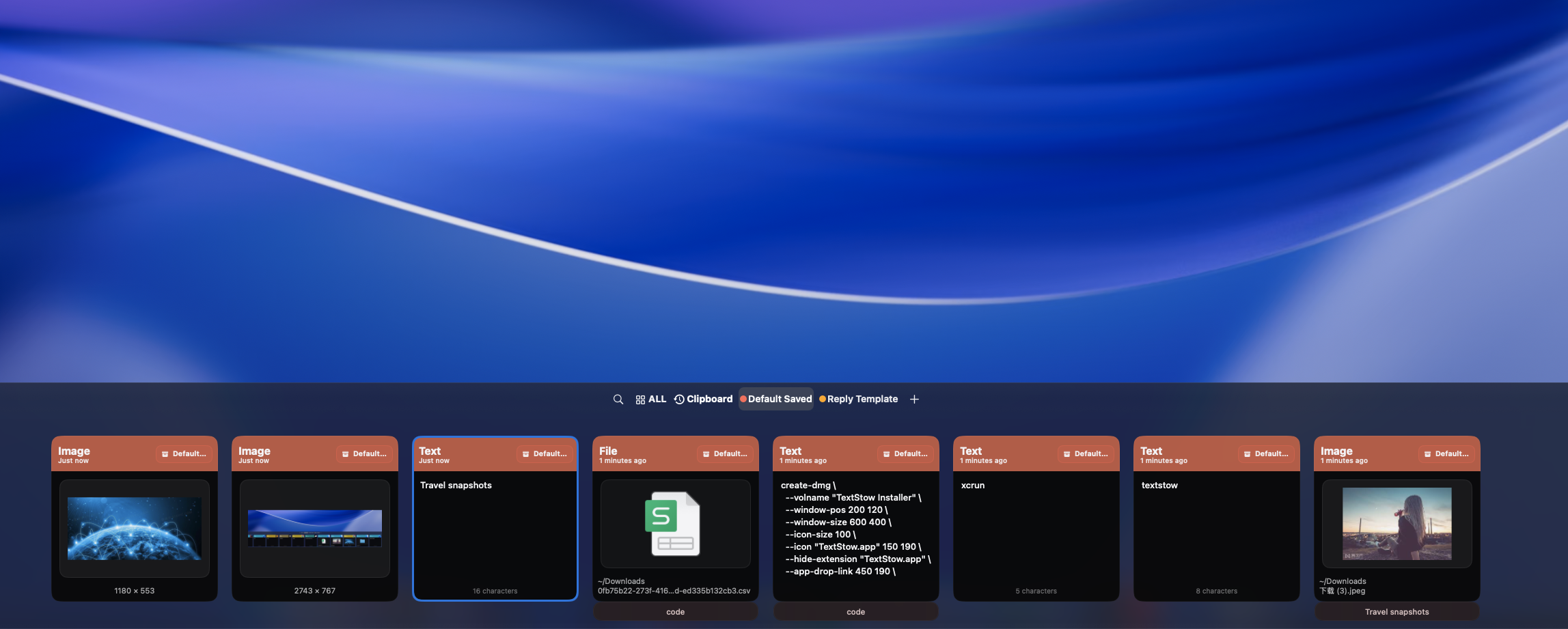
当你复制了值得保留的内容,在 TextStow 中加入书签。添加标题、分配分类,它就成为你永久内容库的一部分。收藏在清除历史后依然存在,一次搜索就能找到。
文本片段、图片和文件
收藏剪贴板中的任何内容:可复用的邮件回复、代码模式、配置值、参考截图、产品图片、文档模板。TextStow 的收藏支持文本、图片和文件——不只是纯文本。
搜索和筛选你的收藏
通过搜索关键词或按类型筛选,立即找到收藏的内容。无论是上周保存的代码片段还是上个月保存的参考图片,几秒就能定位。
Search and Filter Your Bookmark Library Instantly
Find bookmarked content by searching keywords across titles, content, and tags. Filter by content type — text, image, or file — to narrow results. Need that customer reply template from three months ago? That React component pattern you bookmarked? Full-text search makes retrieval instant.
Turn Clipboard into a Permanent Fragment Knowledge Base
TextStow transforms your clipboard from a temporary holding area into a permanent, searchable knowledge base. Every useful piece of content you copy can become a bookmarked, categorized, permanently accessible resource. <a href="/zh-Hans/workflow/">See how TextStow transforms your copy-paste workflow.</a>
常见问题
TextStow 的内容收藏是什么?▾
收藏让你永久保存有价值的文本片段、图片和文件——独立于临时的历史时间线。
能收藏图片和文件吗?▾
可以。TextStow 收藏支持复制到剪贴板的文本、图片和文件。
怎么整理收藏?▾
给每个收藏添加标题和分类。按内容类型搜索和筛选来快速找到需要的内容。
收藏存在本地吗?▾
是的。所有收藏都本地存储在 Mac 上,没有云同步。
Do bookmarks survive when I clear clipboard history?▾
Yes. Bookmarks are permanent and separate from clipboard history. Clearing history does not affect your bookmarked content.
What is the difference between history and bookmarks?▾
Clipboard history is a timeline of everything you copy — temporary and eventually cleared. Bookmarks are permanent, organized, and searchable — content you explicitly choose to keep forever.