Clipboard Manager for Designers on Mac
UI designers, product designers, and creative professionals copy references all day — screenshots, color codes, competitor UIs, copy snippets, asset links. TextStow turns your clipboard into a design reference library with history, bookmarks, and full-text search.
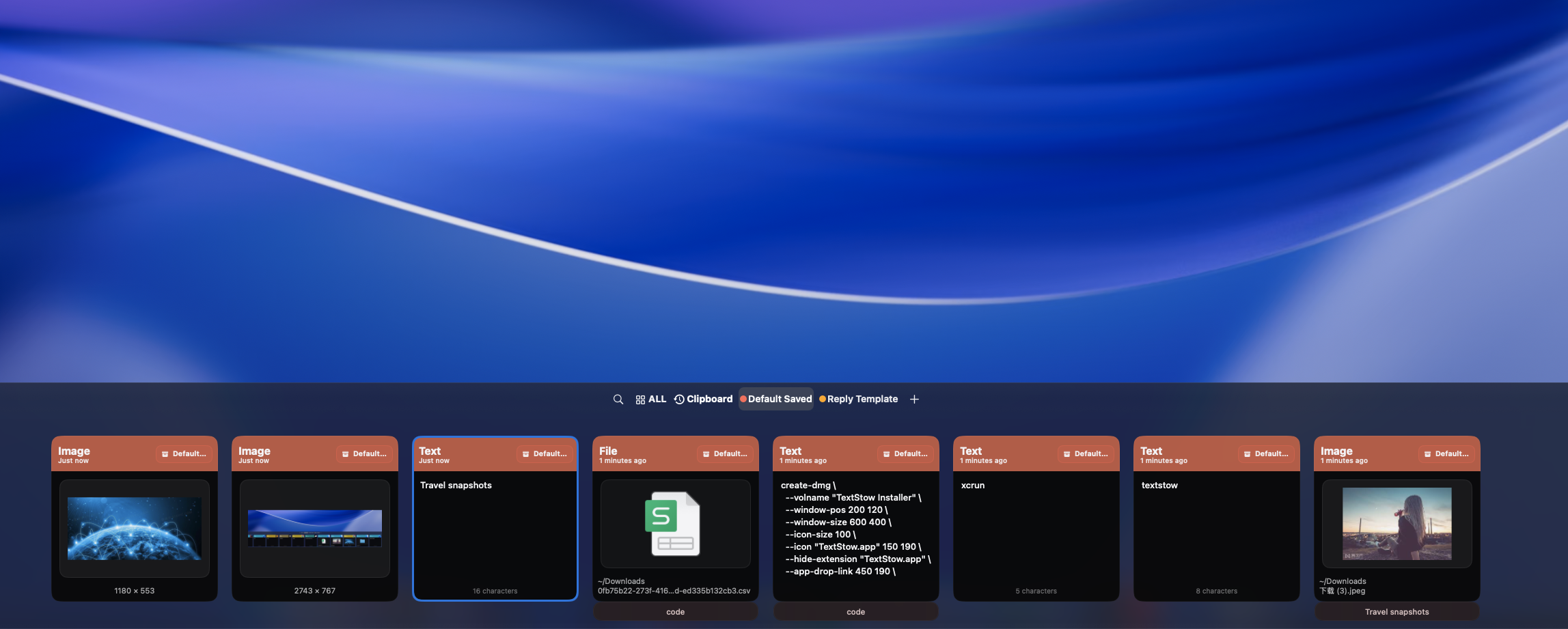
Designers Copy More Than Text
A designer clipboard is not just text. It is screenshots of competitor UIs, color codes from design systems, typography references, icon assets, copy snippets from brand guidelines, and file paths to design resources. macOS only remembers the last copied item. TextStow records everything — text, images, and files — so nothing is lost.
Automatic History for All Content Types
TextStow automatically records every item you copy: text snippets, screenshots, design reference images, and files. Filter your history by content type to find images, text, or files quickly. Search across all content with full-text search.
Bookmark Design References
When you find a reference image, color palette, or UI pattern you want to keep, bookmark it. TextStow bookmarks are permanent — they survive history cleanup and are organized with categories and tags. Create categories like "Competitor UIs," "Color Palettes," "Typography References," and "Icon Sets" to build a searchable design reference library. <a href="/content-bookmarks-mac">Learn how content bookmarks work.</a>
Image History and Long-Term Collection
TextStow handles images in two ways: clipboard history for recent copied images you need to find quickly, and permanent bookmarks for images you want to keep long-term. Find a screenshot in history, then bookmark it if it becomes part of your ongoing reference library. <a href="/image-clipboard-history-mac">Learn about image clipboard history.</a> <a href="/use-cases/save-frequently-used-images-mac">Learn about saving frequently used images.</a>
Text Tools for Design Workflows
TextStow includes 30+ text processing tools useful for design workflows: clean up copied text from design specs, remove extra spaces from CSS values, format JSON from API responses, URL-encode asset links, and more. All tools process content locally on your Mac.
Local and Private
Design references often include unreleased product screenshots, internal brand guidelines, and proprietary design systems. TextStow stores everything locally on your Mac — no cloud sync, no data transmission. Your design references stay private.
Frequently Asked Questions
Why do designers need a clipboard manager?▾
Designers copy diverse content all day — screenshots, color codes, UI references, copy snippets. A clipboard manager records everything so nothing is lost and all content is searchable.
Can TextStow save copied images and screenshots?▾
Yes. TextStow records images in clipboard history and lets you bookmark important images for permanent access.
Can I organize design references into categories?▾
Yes. TextStow bookmarks support categories and tags. Create categories for different types of design references.
Does TextStow integrate with Figma?▾
TextStow does not have a Figma plugin or direct integration. It works with any content you copy from Figma or any other app — screenshots, text, and file references.
Does TextStow have OCR for images?▾
No. TextStow does not include OCR. It records and stores copied images but does not extract text from them.
Is TextStow free?▾
Yes. TextStow is free to download and use.
Free Download TextStow
UI designers, product designers, and creative professionals copy references all day — screenshots, color codes, competitor UIs, copy snippets, asset links. TextStow turns your clipboard into a design reference library with history, bookmarks, and full-text search.
Free Download