Quick Answer
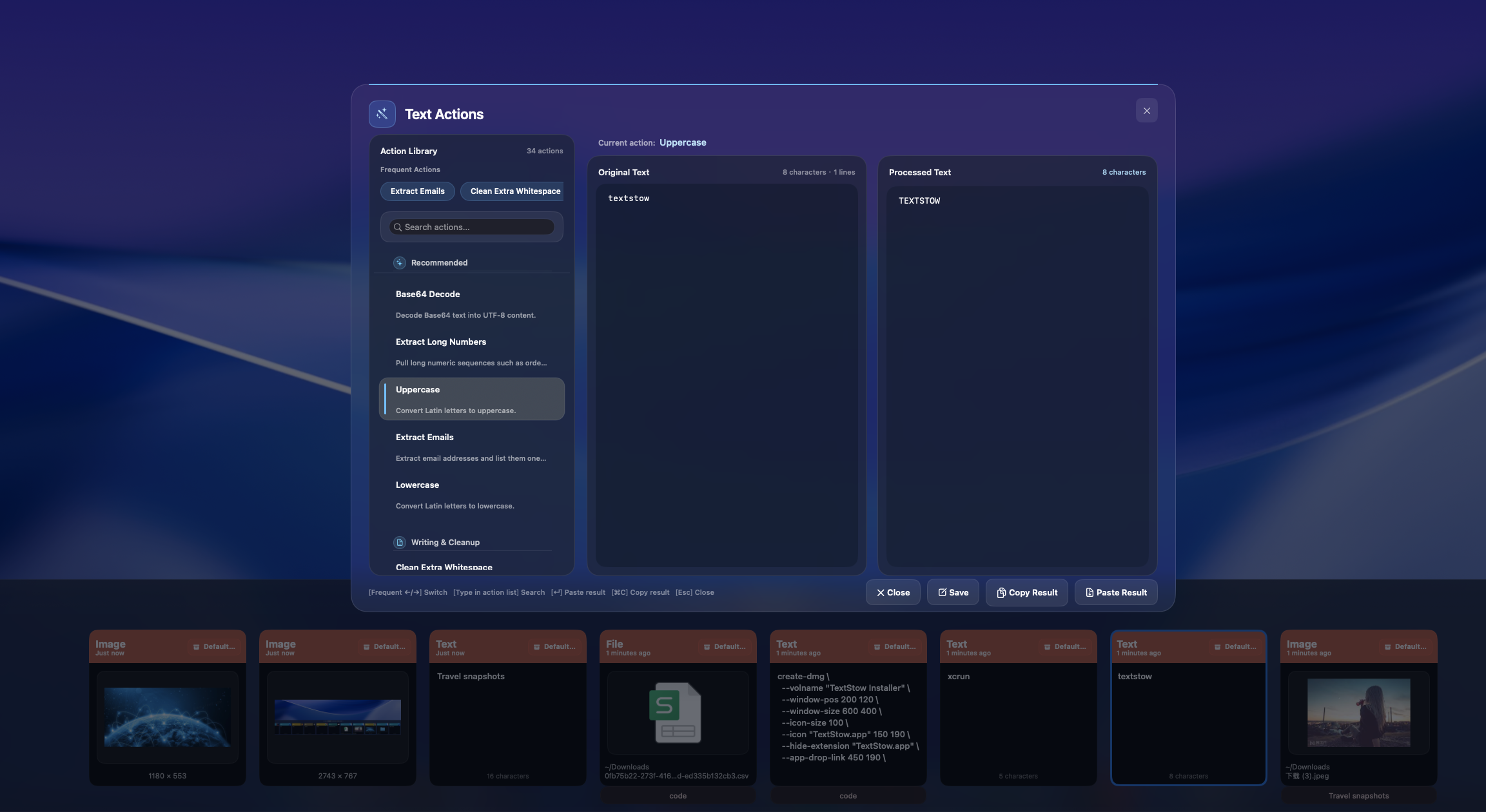
Base64 and URL encoding are common clipboard tasks for developers and support teams. TextStow keeps encode/decode actions close to the copied text.
TextStow focuses on the Mac copy-paste moments that usually disappear from view: clipboard history, saved snippets, text cleaning, full-text search, and local storage. That combination makes it useful for people who copy information throughout the day and need to reuse it without changing their main app.
The Workflow Problem
Encoding work often happens while reading logs, URLs, API parameters, redirects, and support tickets. Switching to a browser tool creates extra steps.
The cost is rarely one dramatic failure. It is the repeated 30-second search, the lost command, the broken PDF paragraph, the reply template you rewrite again, and the context switch to another notes app or browser tab.
What macOS Does Not Solve by Itself
macOS can do encoding through command-line tools, but that is not always convenient when the source and target are GUI apps.
The built-in clipboard is fast, but it is intentionally temporary. Once you copy something new, the previous item is gone unless another app has already captured it. That is why a dedicated clipboard manager is a practical upgrade instead of a cosmetic utility.
How TextStow Handles It
Copy the value, run Base64 or URL encode/decode in TextStow, and paste the transformed result back into your editor, browser, terminal, or support tool.
Because TextStow runs from the menu bar, the workflow stays close to the place where copying already happens. Open the panel, search a phrase, filter the result, bookmark content that should become permanent, or run a text processing action before pasting.
Why This Converts Into Real Time Saved
Clipboard-based encoding is small but frequent. Removing the context switch keeps debugging and support workflows moving.
For high-frequency copy-paste work, the win is not just speed. It is confidence that the thing you copied earlier is still recoverable, searchable, and reusable without sending private clipboard content to a cloud service.