TextStow Features
A lightweight menu-bar app that turns your clipboard into a searchable history and a reusable snippet library — with built-in text tools to clean, format, and transform anything you copy.


Clipboard History
TextStow automatically records everything you copy — text, images, and files. Open the panel with a quick double-tap of the Option key and browse your recent copies in reverse-chronological order. Full-text search with filters by type, time, and source app makes finding any past copy effortless.

Content Bookmarks
Turn frequently used content — reply templates, code snippets, email signatures, config values — into permanent bookmarks. Organize them by category and tags, give each one a title and search description. Bookmarks are immune to history cleanup and stay until you delete them.

Built-in Text Processing Tools
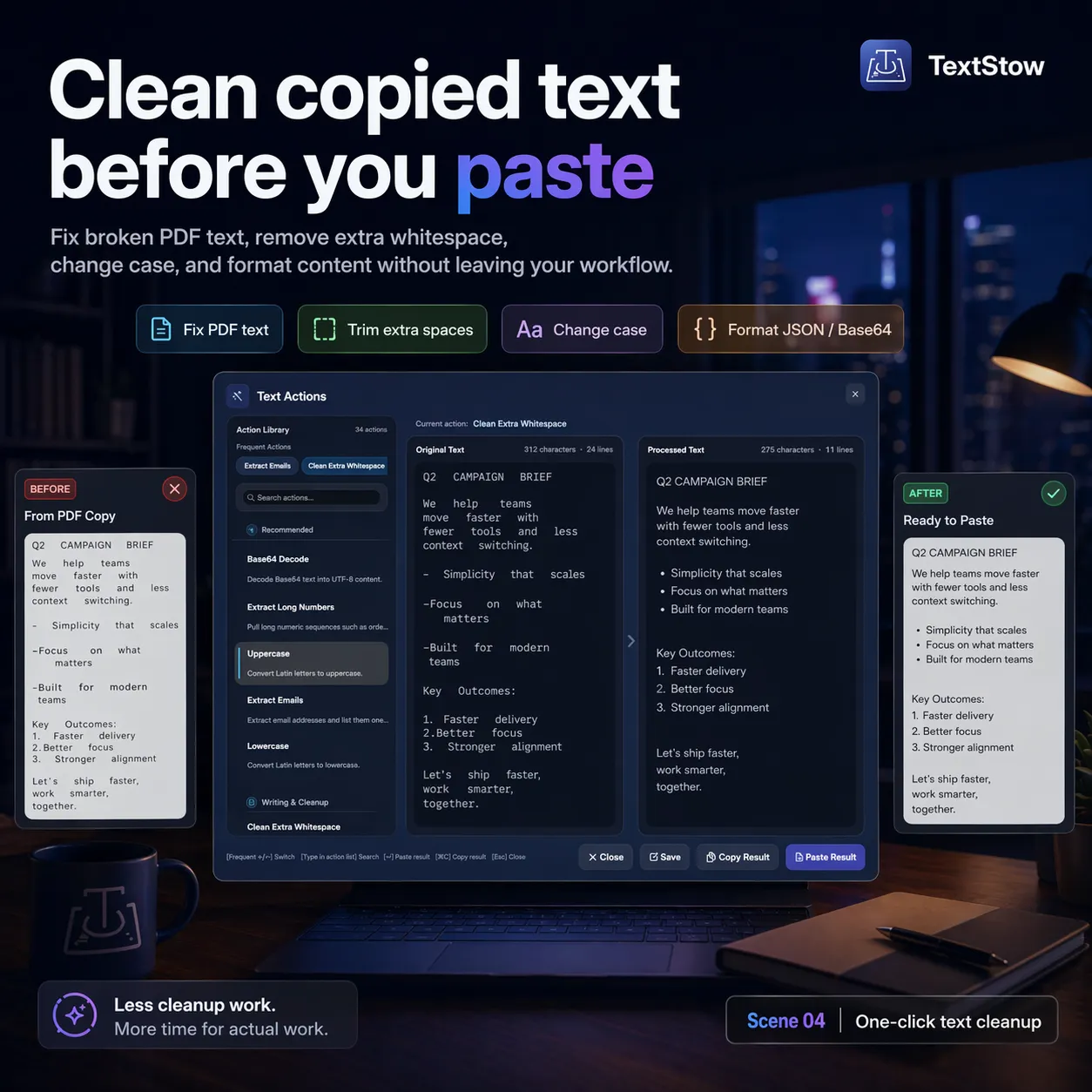
Clean up messy PDF text, format JSON, encode Base64, URL-encode parameters, remove duplicate lines, convert case, and more. Press Command+T on any text entry to open the text processing panel — no external tools or websites needed.
Privacy-First, Local-Only
All data is stored in a local SQLite database on your Mac. No cloud sync, no account required, no network transmission. Your clipboard content — including potentially sensitive material — never leaves your machine.
Frequently Asked Questions
What content types does TextStow support?▾
TextStow records text, images, and files. All three types are searchable and can be bookmarked.
Can I organize my bookmarked content?▾
Yes. Each bookmark supports a custom title, category, tags, and a search description for easy filtering.
Does TextStow require an internet connection?▾
No. TextStow works completely offline with no cloud dependency.
Can I back up my bookmarks?▾
Yes. You can export and import bookmarks from Settings for backup or migration between Macs.
Free Download TextStow
A lightweight menu-bar app that turns your clipboard into a searchable history and a reusable snippet library — with built-in text tools to clean, format, and transform anything you copy.
Free Download