Clipboard Manager for Writers on Mac
Writers collect fragments from many sources — quotes from articles, references from research, phrases from interviews, draft ideas from notes. TextStow keeps every copied piece searchable and organizable in one local workspace.
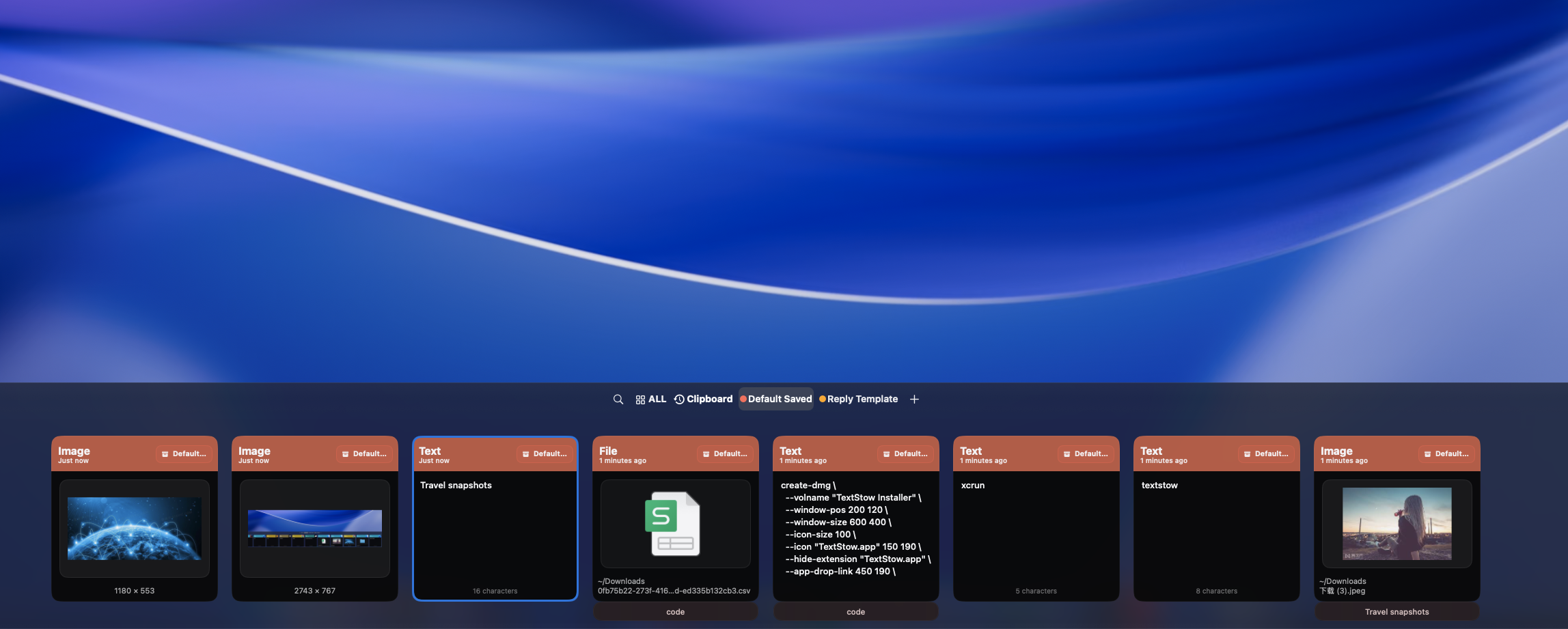
Writers Collect Fragments Everywhere
A quote from an article, a statistic from a report, a phrase from an interview — writers copy useful material from many sources during research. Without a clipboard manager, the best fragments get lost between browser tabs.
Keep Every Copied Piece
TextStow automatically records everything you copy while researching. Switch between sources freely — your clipboard history captures it all.
Bookmark Your Best Material
Save important quotes, key statistics, and reference material as bookmarks. Add titles and categories to build a personal research library that persists beyond your current session. <a href="/use-cases/how-to-save-reusable-writing-snippets-mac/">Learn how to save reusable writing snippets.</a>
Clean Copied Text Before Drafting
Text from PDFs and web pages often carries messy formatting. Use TextStow text tools to clean, deduplicate, and normalize copied text before it reaches your draft. <a href="/use-cases/how-to-organize-copied-notes-quotes-links-mac/">See how to organize all your copied notes and links.</a>
Frequently Asked Questions
Can TextStow help with research writing?▾
Yes. It captures and organizes all your copied research material in one searchable place.
Can I organize copied quotes?▾
Yes. Bookmarks let you save quotes with titles and categories for easy retrieval.
Does TextStow work with writing apps?▾
Yes. TextStow works through the clipboard layer, so it is compatible with any writing app.
Is my writing data stored locally?▾
Yes. All clipboard content is stored locally on your Mac.
Free Download TextStow
Writers collect fragments from many sources — quotes from articles, references from research, phrases from interviews, draft ideas from notes. TextStow keeps every copied piece searchable and organizable in one local workspace.
Free Download