Clipboard Manager for Mac
TextStow combines searchable clipboard history, permanent content bookmarks, and local text processing in one Mac menu bar app. It is designed for people who need more organization and transformation than recent clipboard recall alone.

Best for
- Developers who reuse commands and transform structured text
- Writers and support teams who maintain reusable templates
- Researchers who need searchable source fragments
- Mac users who prefer local history over cross-device sync
Not for
- People who only need the recent items built into macOS Tahoe 26
- People who require clipboard history on iPhone or iPad
- Teams that require shared cloud clipboards
Product Boundaries
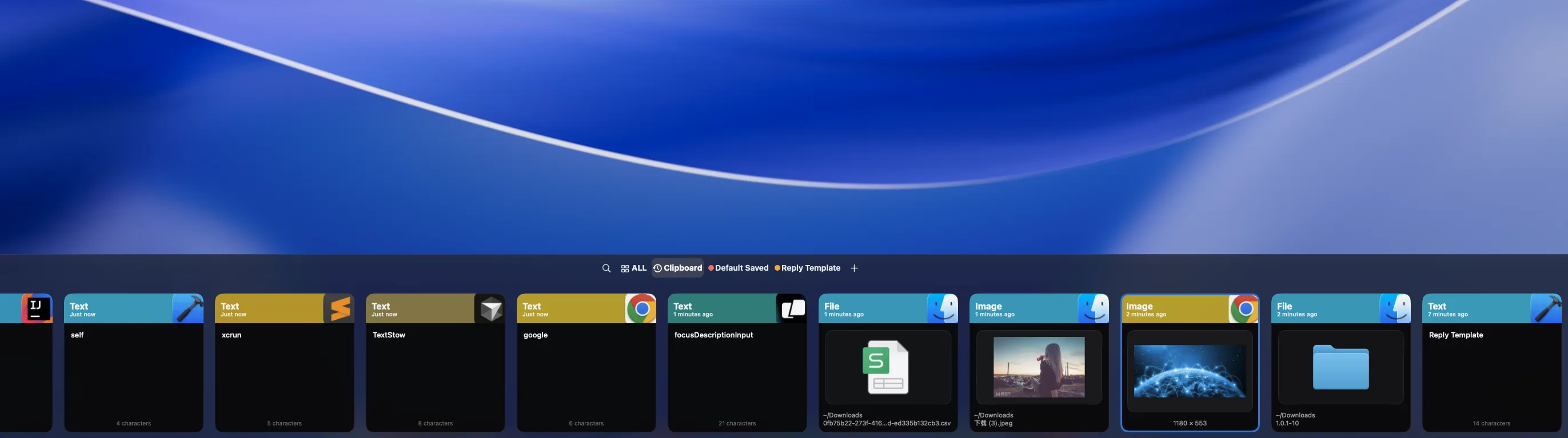
Start With the Native Clipboard History in macOS Tahoe
If your Mac runs macOS Tahoe 26 or later and you only need to recover something copied recently, open Spotlight and browse Clipboard History first. That built-in option may be enough. TextStow is intended for longer-lived workflows: organizing reusable content, filtering by source and type, and transforming text before it is pasted.
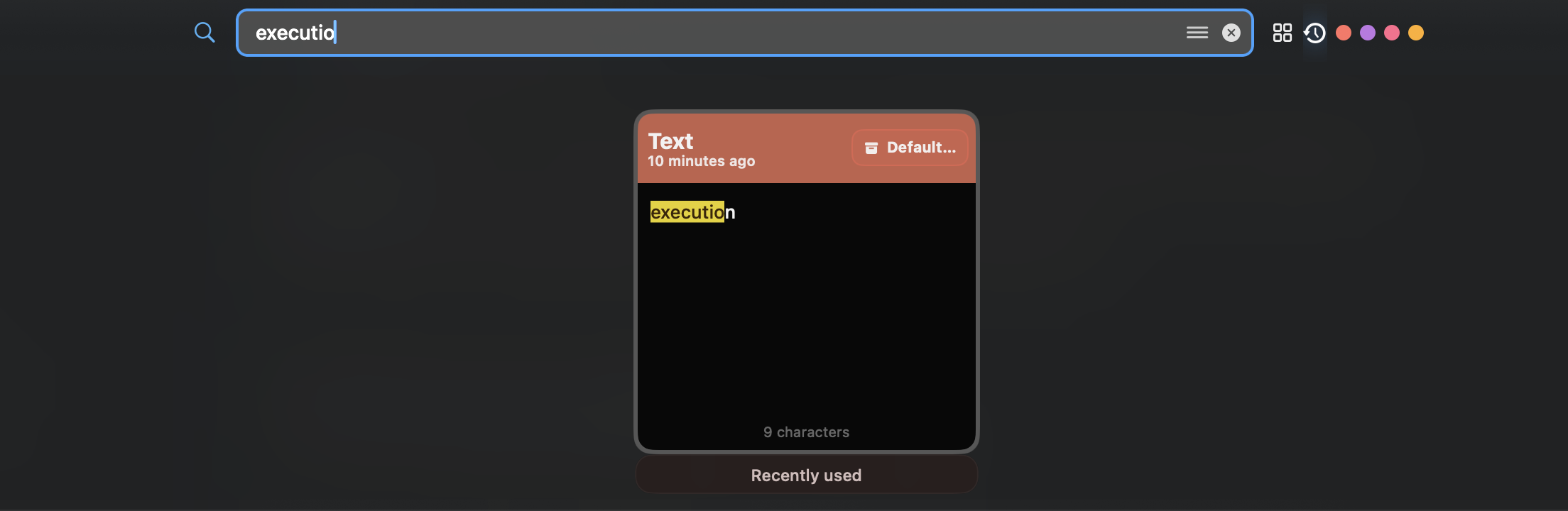
Find a Clip by Its Meaning, Type, or Source
A long chronological list becomes slow once it contains days of work. TextStow lets you search the stored content and narrow results by content type, time, or source app. This makes it practical to recover a command copied from Terminal, a paragraph copied from a browser, or an image copied earlier without scanning every item.

Move Reusable Content Out of Temporary History
Clipboard history and a snippet library solve different problems. History helps recover what you copied; bookmarks preserve what you expect to reuse. TextStow lets you move templates, code fragments, addresses, references, and images into categorized bookmarks so useful material is not buried by newer copies or removed when history is cleared.

Transform Text Without Sending It to a Web Utility
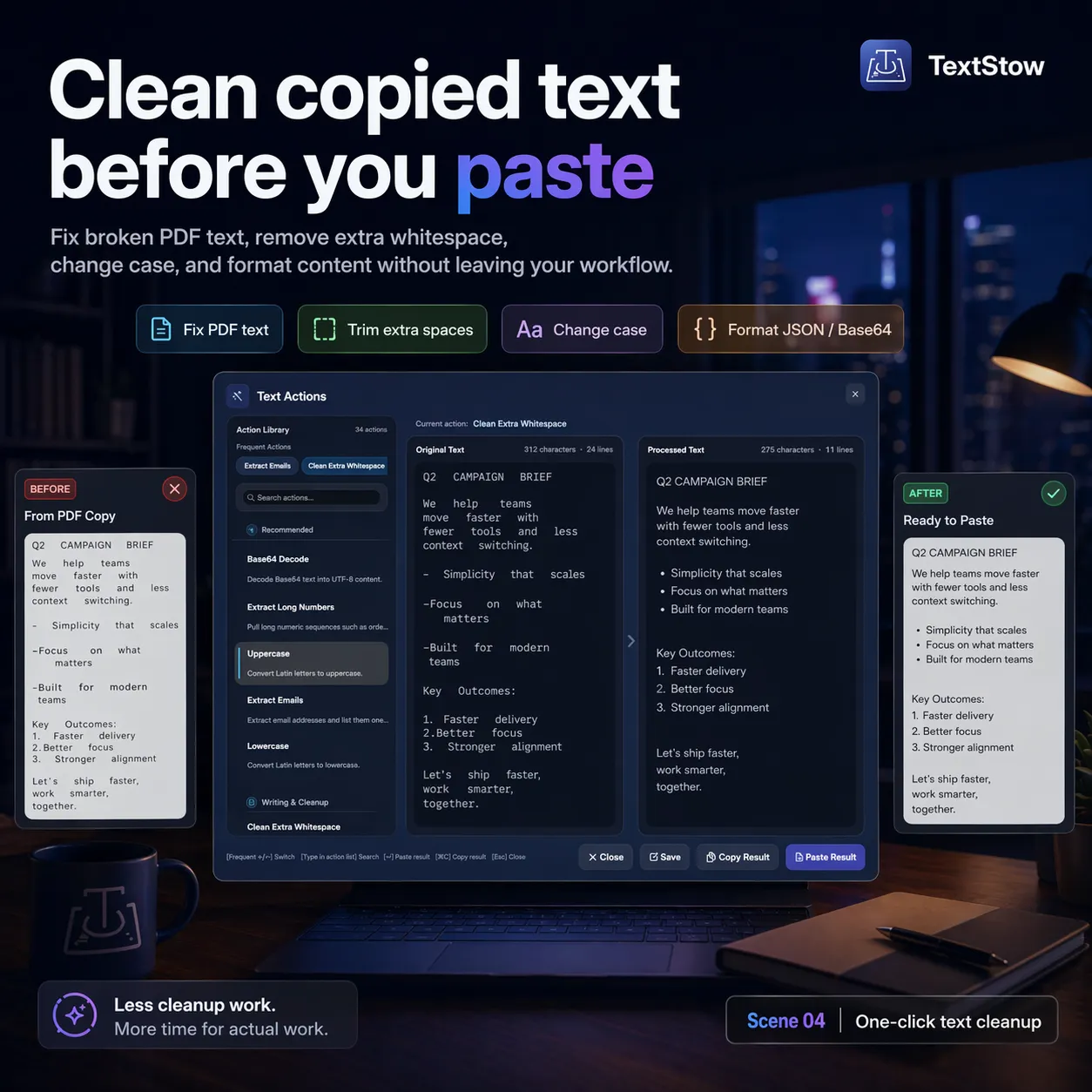
Copy-paste work often includes a second step: format JSON, decode Base64, repair line breaks from a PDF, normalize whitespace, change case, or remove duplicate lines. TextStow groups more than 30 text actions beside clipboard history, so the copied input can be processed locally and the result can return to the same workflow.
Understand the Privacy Boundary Before You Install
A clipboard manager can see the content you copy, so its data model matters. TextStow stores its working history on the Mac and does not offer TextStow cloud sync. You should still exclude sensitive apps where appropriate, clear unneeded history, and use FileVault if the device may be lost or shared. Local storage reduces data movement; it does not replace good device security.
A Menu Bar Workflow That Stays Close to Copy and Paste
After installation and the required macOS permissions, TextStow runs from the menu bar. Continue copying normally, then open the panel when you need to search, bookmark, filter, or transform an item. The product is deliberately Mac-only and local-first; users who need a synced iPhone or iPad history should choose a cross-device clipboard manager instead.
Frequently Asked Questions
Does macOS already have clipboard history?▾
macOS Tahoe 26 and later include recent clipboard history in Spotlight. Older macOS versions do not provide the same built-in history. TextStow adds permanent bookmarks, filtering, and text tools for users who need more than recent recall.
What makes TextStow different from a basic history list?▾
TextStow combines searchable history with permanent bookmarks, text, image and file support, and more than 30 built-in text transformations.
Does TextStow require a subscription?▾
TextStow is offered as a free download for the current version.
Can TextStow save things besides text?▾
Yes. TextStow supports text, images, and files in clipboard history and bookmarks.
Does TextStow sync clipboard history to other devices?▾
No. TextStow does not provide cross-device cloud sync; its clipboard workflow is local to the Mac.
Free Download TextStow
TextStow combines searchable clipboard history, permanent content bookmarks, and local text processing in one Mac menu bar app. It is designed for people who need more organization and transformation than recent clipboard recall alone.
Free Download