Organize Client Information on Your Mac
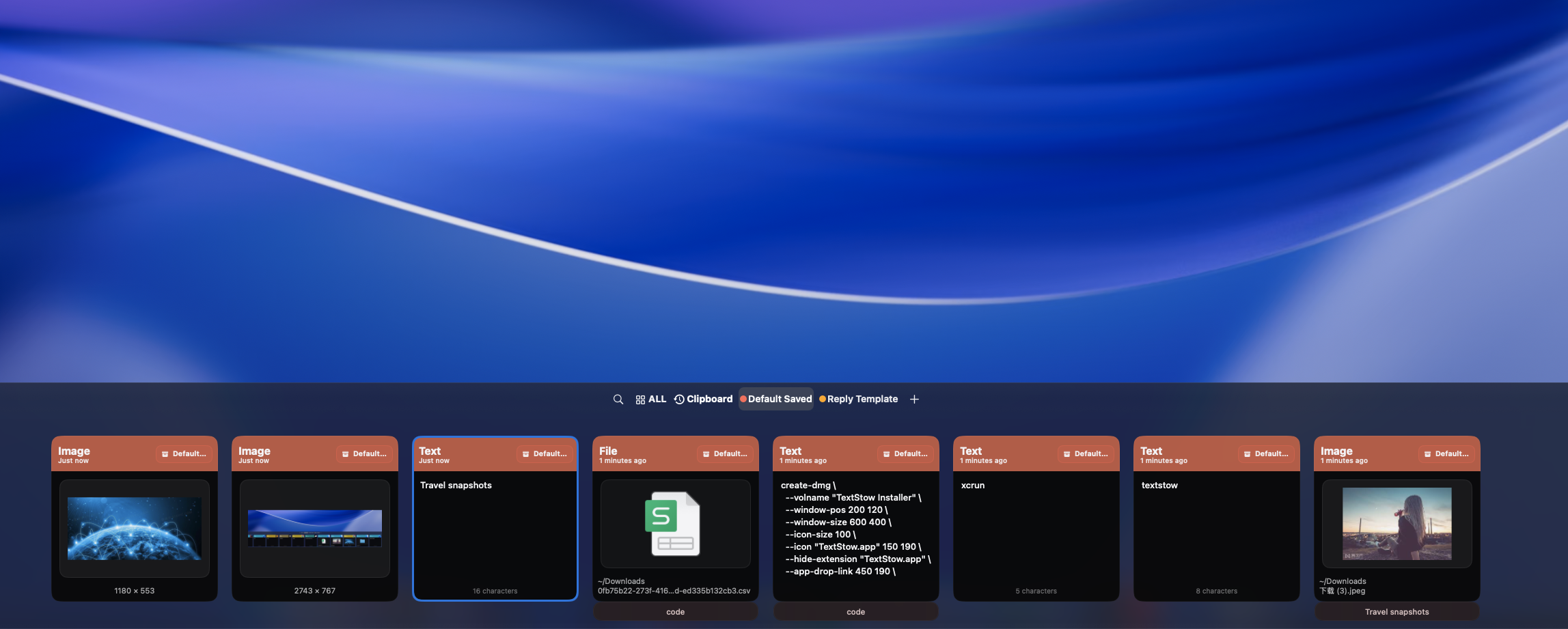
Freelancers switch between clients all day, but tax IDs, project codes, billing details, and email templates are often scattered across notes and documents. TextStow turns reusable client information into organized, searchable bookmarks that stay one shortcut away in your Mac menu bar.
Best for
- Freelancers who switch between several active clients
- Consultants who reuse project codes and billing references
- Solopreneurs who send recurring client emails and invoices
- Mac users who want a local, searchable snippet library
Not for
- Teams that need a shared CRM or collaborative client database
- Automated invoicing, time tracking, or project management
- Passwords, payment-card data, or secrets that belong in a dedicated vault
Workflow Examples
Client A: billing hub
Bookmark the approved billing name, tax reference, invoice description, and project code under one client category. Search the client name before preparing an invoice.
Client B: communication hub
Keep kickoff emails, weekly update formats, approval reminders, and sign-offs together. Paste a template, then personalize it for the current conversation.
Project handoff hub
Save reusable handoff checklists, delivery notes, folder paths, and non-secret project identifiers so the final delivery does not depend on finding an old document.
Client Context Gets Lost Between Projects
A freelancer may move from a design review for one client to an invoice for another and a status update for a third within the same hour. When each client detail lives in a different note, spreadsheet, or email thread, context switching turns into repeated searching. The slowdown is not the work itself; it is rebuilding the client context every time.
Create a Searchable Hub for Each Client
Copy a useful client detail once, bookmark it in TextStow, and give it a clear title. Group related bookmarks with categories such as "Client A," "Client B," or "Archived Clients." A client hub can hold billing references, project codes, reusable wording, delivery instructions, and other short details you need across apps.
Keep Reusable Billing and Project Snippets Ready
Store approved invoice descriptions, billing addresses, tax references, purchase-order numbers, and non-secret project identifiers as individual bookmarks. Keeping each item separate makes it easier to search, verify, and update than maintaining one long catch-all note. Only save sensitive details when your client agreement and security policy allow it.
Turn Repeated Client Emails into Templates
Save kickoff messages, progress updates, review requests, and handoff emails as reusable snippets. Add placeholders such as {{Client Name}}, {{Project Name}}, and {{Delivery Date}}, fill them in when you reuse the template, and review the final message before sending. TextStow provides a searchable template library; it does not send messages automatically.
Find the Right Detail from the Menu Bar
Open TextStow from the Mac menu bar, search by client name, project code, or bookmark title, and copy the result into your invoice, email client, document, or project tool. You can retrieve a detail without reopening the source file or scrolling through unrelated notes.
Keep Client Snippets Local and Deliberate
TextStow stores clipboard history and bookmarks locally on your Mac without cloud sync. That reduces the need to place reusable client snippets in another cloud workspace, but local storage is not a substitute for access controls, device security, or a password manager. Keep credentials and regulated secrets in the dedicated systems designed for them.
Frequently Asked Questions
How can freelancers organize client information on a Mac?▾
Create a TextStow bookmark category for each client, save reusable details as clearly titled snippets, and search by client name or project code from the menu bar.
What client details can I save in TextStow?▾
Common examples include approved invoice descriptions, billing addresses, tax references, purchase-order numbers, project codes, email templates, delivery notes, and checklists. Follow your client agreements and security policies when saving sensitive information.
Can I keep separate snippet hubs for multiple clients?▾
Yes. Use bookmark categories and descriptive titles to separate Client A, Client B, archived clients, or individual projects, then use search to retrieve the exact detail you need.
Can TextStow create reusable client email templates?▾
Yes. Save recurring messages as bookmarks and use placeholders for details that change. TextStow helps you find and paste the template; you still review and send it in your email app.
Is TextStow a CRM or invoicing app?▾
No. TextStow is a local clipboard, bookmark, and snippet manager. It complements your CRM, invoicing, email, and project tools by keeping small reusable details easy to find.
Is client information uploaded to the cloud?▾
TextStow keeps clipboard history and bookmarks locally on your Mac and does not provide cloud sync. You should still protect your Mac and keep passwords, payment-card data, and other high-risk secrets in dedicated secure systems.
Is TextStow free for freelancers?▾
Yes. TextStow is free to download and use on Mac.
Free Download TextStow
Freelancers switch between clients all day, but tax IDs, project codes, billing details, and email templates are often scattered across notes and documents. TextStow turns reusable client information into organized, searchable bookmarks that stay one shortcut away in your Mac menu bar.
Free Download