Bookmark Collections for Mac
Organize your saved content into custom collections — code snippets, email replies, images, and more — all searchable, all local.
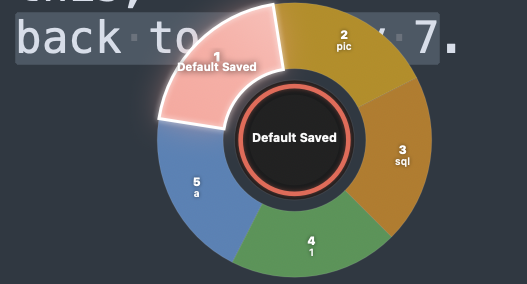
Your Bookmarks Deserve Better Organization
As you bookmark more content, a flat list becomes harder to navigate. Code snippets mix with email replies. Images sit next to JSON configs. Collections solve this by letting you group bookmarks into folders — so every piece of content has a home.
Create Collections by Topic or Workflow
Create a collection for code snippets, another for email replies, another for reference images. Name each collection to match how you think — "API responses," "customer replies," "UI screenshots." When you bookmark content, pick the right collection and you'll find it faster.
Describe What You're Saving
When you save a bookmark, add a short description to help you remember what it is. This description makes full-text search more powerful — you're not just searching the content itself, but also your own labels.
Search Across All Collections Instantly
TextStow searches every bookmark regardless of which collection it lives in. Type a keyword and see results from all your folders at once. Filter by type to narrow results further.
Collections Work for Every Use Case
Developers keep code and config snippets separate from meeting notes. Writers group reply templates and reference quotes. Support teams organize troubleshooting steps and policy responses. Whatever your workflow, collections keep it tidy.
Frequently Asked Questions
What are bookmark collections in TextStow?▾
Collections are custom folders that let you group your bookmarks by category — like code, replies, or images — so you can find saved content faster.
Can I create custom collection names?▾
Yes. Name collections however makes sense for your workflow: "API responses," "customer replies," "UI screenshots," or anything else.
Do I need to search within a specific collection?▾
No. TextStow searches all your bookmarks at once. Collections organize content, but search works across the entire collection library.
Are collections stored locally?▾
Yes. All collections and bookmarks live in TextStow's local database on your Mac. No cloud sync, no account required.
Can I add descriptions to bookmarks?▾
Yes. When saving a bookmark, you can add a short description that helps you remember what it is and makes search results more precise.
Free Download TextStow
Organize your saved content into custom collections — code snippets, email replies, images, and more — all searchable, all local.
Free Download